Proof Pages · All families
Reusable Sections
Eight sections, ready to drop in
Every section in the pack, shown in sequence. Import any one on its own, or combine them into new pages. They all share the same Divi 5 variables and presets.
Section 01
Masthead
Full-bleed hero with a proof rail. Opens any case study.
Lantern Field Workshop · Education
Lantern Field Course Clarity
Course pages that led with philosophy became pages that tell a student what they will make, and whether it is for them.
Lantern Field teaches hands-on craft: woodworking, letterpress, ceramics. The course pages were beautifully written, but a curious beginner still could not tell what they would walk out with, whether they needed experience, or what was included.
Client
Independent craft school
Engagement
Course page review, four weeks
Source Material
Enrollment emails, student questions, tutor notes
Section 02
Snapshot and Stat Ledger
At-a-glance cards above a documented-number ledger.
Overview
The work at a glance
Where We Started
Pages opened with a paragraph on craft and patience. Students still emailed to ask the level, what they would make, and what was provided.
What We Changed
We rebuilt the page around four things a student weighs first: what you will make, who it is for, what is included, and dates and booking.
What We Measured
This review measured documentation and clarity. Enrollment and revenue depend on live registration data, so we left those numbers out.
Section 03
Challenge Band
The problem stated plainly, beside a source note.
The Challenge
The page set a tone, not expectations
Lantern Field's course pages opened with a lovely meditation on making things by hand. All true to the school. But a beginner deciding whether to spend a Saturday and a few hundred dollars still could not tell if the class was for them, what they would actually build, or whether tools were provided. So they emailed, and the small team answered the same questions before every term.
Source Material
We worked from a term of enrollment emails, the pre-class questions, the tutor notes, and the school language Lantern Field had already approved.
Section 04
Artifact Strip
Three captioned evidence frames in an even row.

Artifact 01
Enrollment emails, grouped by the question behind each one
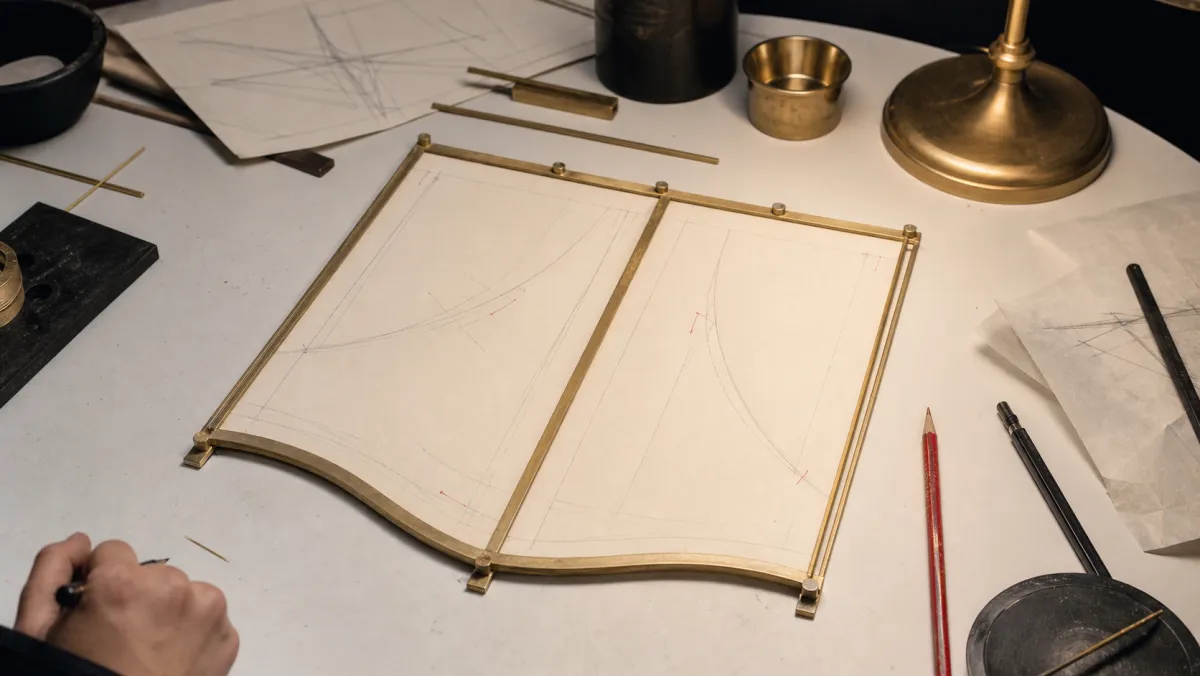
Artifact 02
Pre-class questions with our plain-language annotations

Artifact 03
Tutor notes mapped to the missing page detail
Section 05
Process Steps
Equal-height numbered steps beside a media panel.

In The Studio
A calm motion loop stands in for the studio's own bench footage.
Our Approach
We wrote the page a beginner needs
We read the emails students sent before enrolling, then grouped the page around the four things they always asked: what you will make, who it is for, what is included, and the practical details. The goal was never a quieter page. It was a page that let a nervous beginner know it was for them before they paid.
1
Gathered enrollment emails, pre-class questions, and tutor notes.
2
Grouped questions into outcome, level, included, and details.
3
Reviewed where each answer lived versus where students looked.
4
Drafted a course page a beginner could read top to bottom.
5
Delivered a course page template the tutors fill in per class.
Section 06
Evidence Frame
A large interface frame with supporting proof cards.
The Evidence
The evidence behind the new page
We kept observed evidence separate from outcomes that only the live registration data can verify.
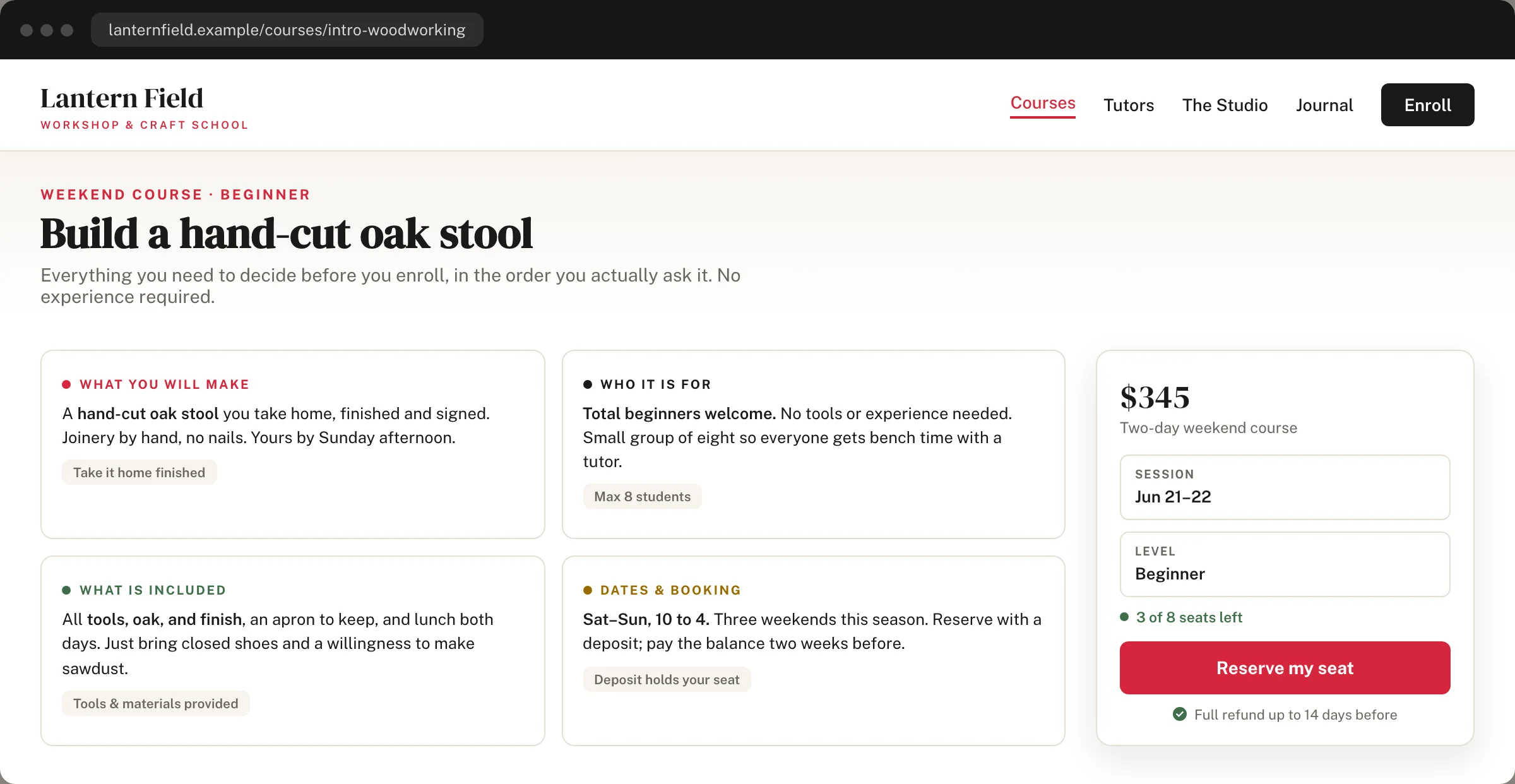
The reorganized course page as students now read it: what you will make, who it is for, what is included, and dates and booking, in one clear sequence.
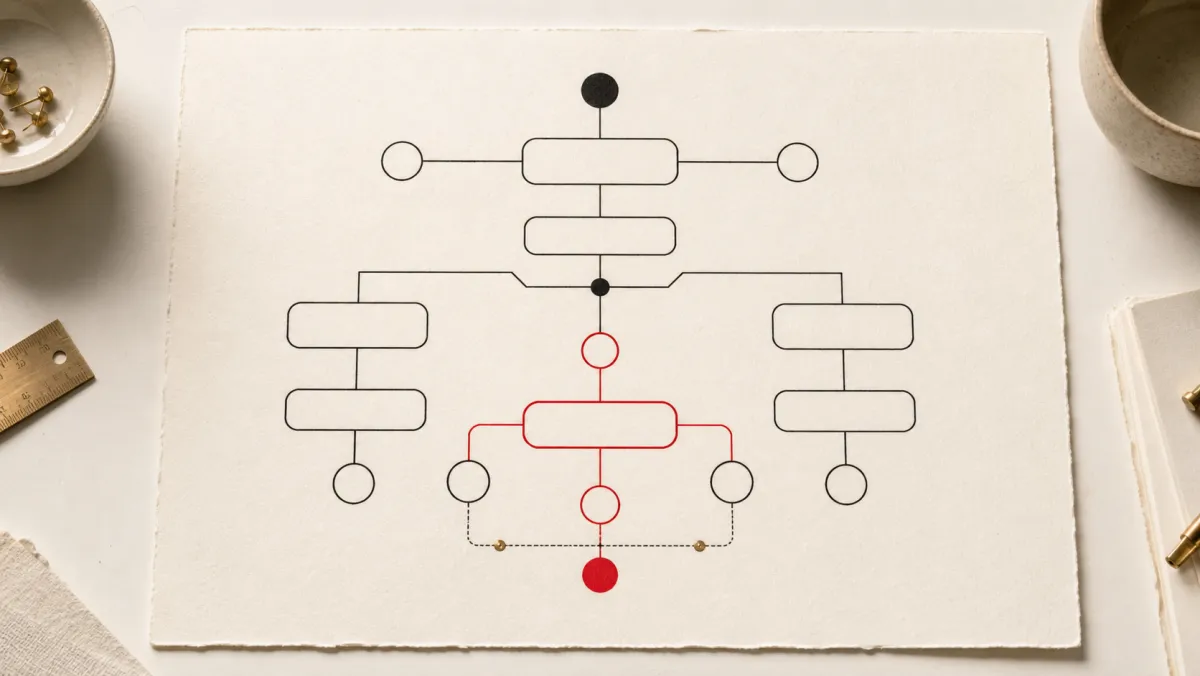
Question Map
How recurring enrollment emails grouped into four answer areas and one booking step.
Question Map
The new page order follows how a beginner decides: what will I make, is it for me, what do I need, and how do I book.
Answer Path
Project outcome, skill level, materials, and schedule now move through one sequence instead of a paragraph and a price.
What We Did Not Measure
Enrollment, fill rate, and revenue sat outside this review. Those belong to verified registration data, so we left them out.
Section 07
Quote and Outcome
A reflection closed by a spined pull-quote.
Reflection
One course page the tutors could fill in
By the end of the review, the school had one course page a beginner could read top to bottom, and a template the tutors fill in for each new class. The revised page, the enrollment emails behind it, and the founder reflection below are the record of that work.
“The page finally tells students what they will make and whether it is for them. We stopped answering the same emails before every term.”
Founder, Lantern Field Workshop
Section 08
Handoff and CTA Band
The design-system pitch and closing call to action.
Inside the System
Built on a real Divi 5 design system
Every color, type size, spacing step, and component on this page is a named Divi 5 variable or preset. Change one and the whole story restyles, so making it yours is an edit, not a rebuild.
Design Variables
Change one color or type scale in the Variable Manager and the entire page follows. Nothing here is hardcoded, so your rebrand takes minutes.
Element Presets
Mastheads, proof rails, evidence frames, quote panels, and buttons all run on named presets. Restyle one and every match updates with it.
Rows That Stay Even
Card rows hold equal heights no matter how long your content runs. Paste your real copy and the layout keeps its shape on every screen.
Ready For Your Story
The sample case study, labels, and images are isolated for clean swaps. Drop in your own work without untangling a single style.